

Customer serviceReal operating interface
A customer profile that joins service, balance, and rides
This section provides a focused view of activity, status, wallet, addresses, and promotions without losing ride context, while ratings live in a separate quality page.
Interface preview
Interface language
Interface appearance
4 images
العربية / Lightالعربية / DarkEnglish / LightEnglish / Dark
Activeor blocked
FirebaseIn-app notifications
MapSaved addresses
Operating flow
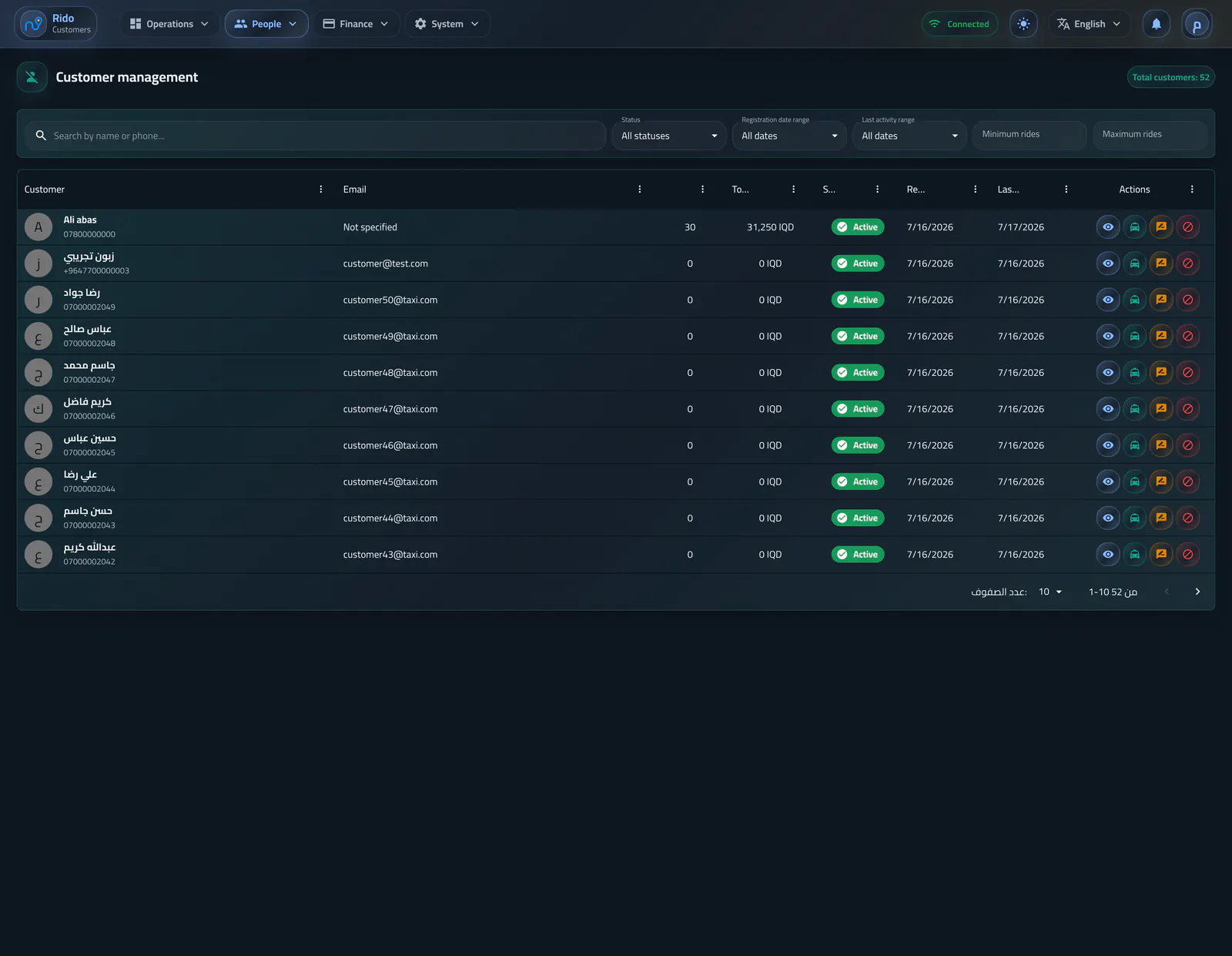
A list for the support team
Search and filters cover status, registration time, recent activity, ride count, and presets so the team reaches the right customer quickly.- Active or blocked filter
- Date ranges from today to one year
- Sort by lowest or highest ride count
Customer management
Search, account state, wallet balance, ride activity, and support actions are visible in one list.Operating flow
Customer detail and actions
The profile contains block or unblock, wallet top-up, and direct notification delivery when service needs to act.- Ride and transaction history
- Saved addresses on the map
- Wallet top-up with optional customer notice
- Service actions tied to the customer record
Customer ride history
Past rides show their state, route endpoints, fare, and the driver involved.Saved customer places
Home, work, and other saved coordinates can be reviewed from the customer profile.Customer wallet transactions
Ride payments, top-ups, and administrative balance changes form a single auditable ledger.Add customer wallet balance
The balance dialog records an amount and reason, with an option to notify the customer immediately.Operating flow
Promotions stay tied to usage
The profile shows customer-specific promo codes and their redemption history so support and promotions stay in one financial picture.- Customer-linked promo codes
- Promo redemption history
- Review wallet and promotion impact
Customer offers and usage history
The profile connects active promo codes, campaign progress, and prior redemptions to one customer.Confirm the promo notification
A final review step confirms that the newly assigned offer should be announced to the customer.Edit a customer reward mission
Mission requirements, reward value, validity, and customer eligibility can be revised together.Edit a tiered customer offer
Multiple ride milestones and their discount values can be managed as one campaign.Edit a fixed-value customer offer
The offer editor exposes the amount, limits, validity period, payer, and activation state.Choose a customer offer type
Operators can assign a standard discount, tiered campaign, or reward mission from the customer record.Choose who funds the discount
The customer-specific offer can be funded by the company or attributed to the driver.Customer service