

Measurement and decisionsReal operating interface
Reports that follow operations, not abstract numbers
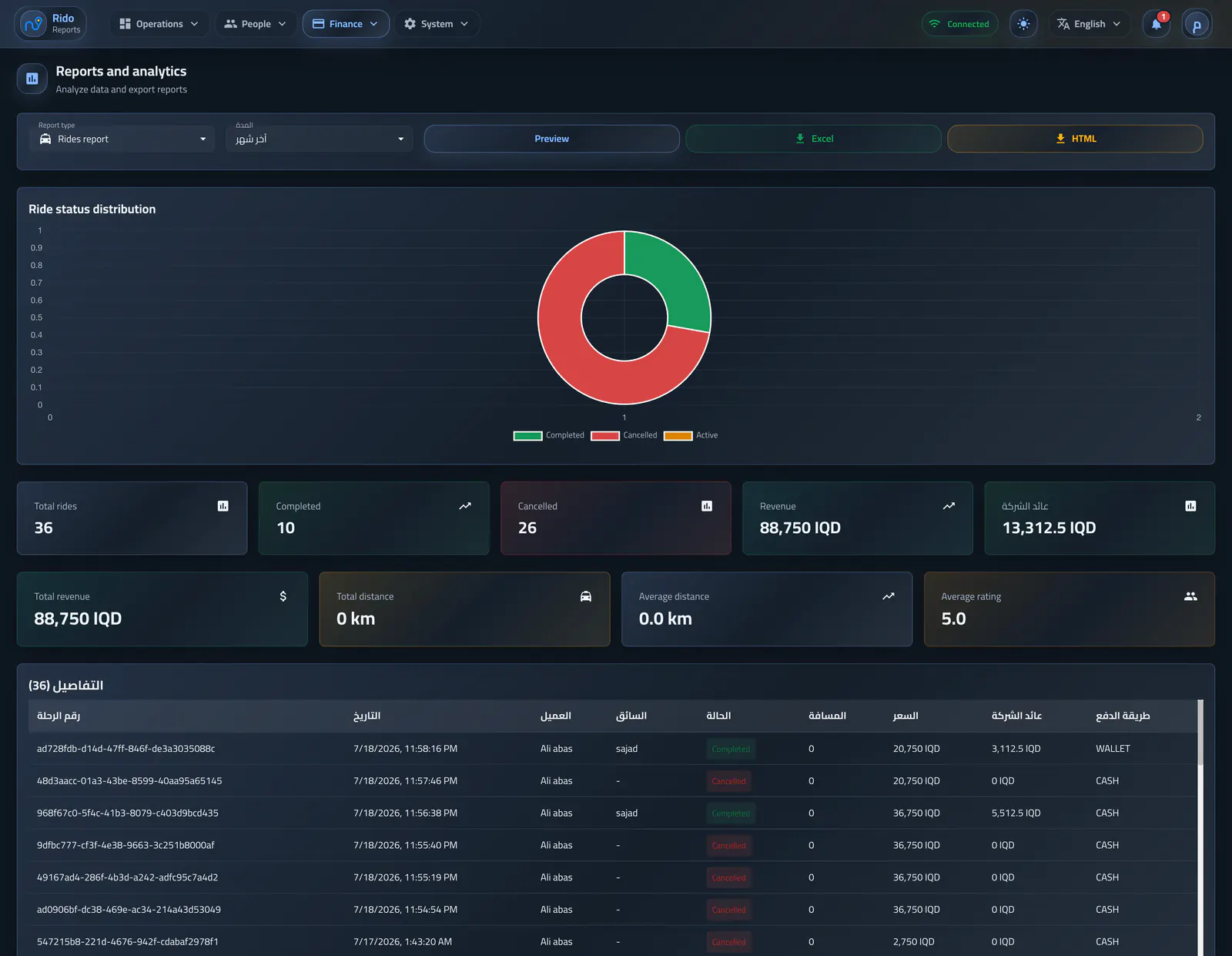
Operators choose ride, revenue, driver, or customer reports, review them first, then export them for a preset or custom period.
Interface preview
Interface language
Interface appearance
4 images
العربية / Lightالعربية / DarkEnglish / LightEnglish / Dark
4Report types
HTMLor Excel export
Customdate-to-date range
Operating flow
Choose the period before export
The operator selects today, yesterday, last 7 days, last month, all time, or a custom period, then previews before export.- Preview before export
- HTML export
- Excel export
Operating flow
Explain rides and revenue
Ride reports show state, revenue, distance, and averages, while revenue reports explain payment distribution, transactions, and company return.- Completed rides and state totals
- Total distance and average value
- Cash, card, and transaction counts
Ride operations report
Ride states, revenue, distance, and average value summarize operational performance for a chosen period.Revenue and payment report
Revenue totals and transaction counts are broken down by payment method for the selected period.Operating flow
Driver and customer activity
Driver reports show activity, ratings, and revenue, while customer reports show spend, balance, join data, and use patterns.- Active and inactive users
- Driver net and company return
- Customer phone, email, balance, and spend
Driver activity and earnings report
Ride volume, ratings, activity, gross earnings, driver net, and company return are compared per driver.Customer activity report
Customer usage, spend, wallet balance, and account dates form a support and growth summary.Measurement and decisions