

Readiness and choice02
Control availability and accept with the full ride context
Drivers choose when they are ready, then see fare, time, distance, route, traffic, and payment type before accepting or declining.
Message us on Facebook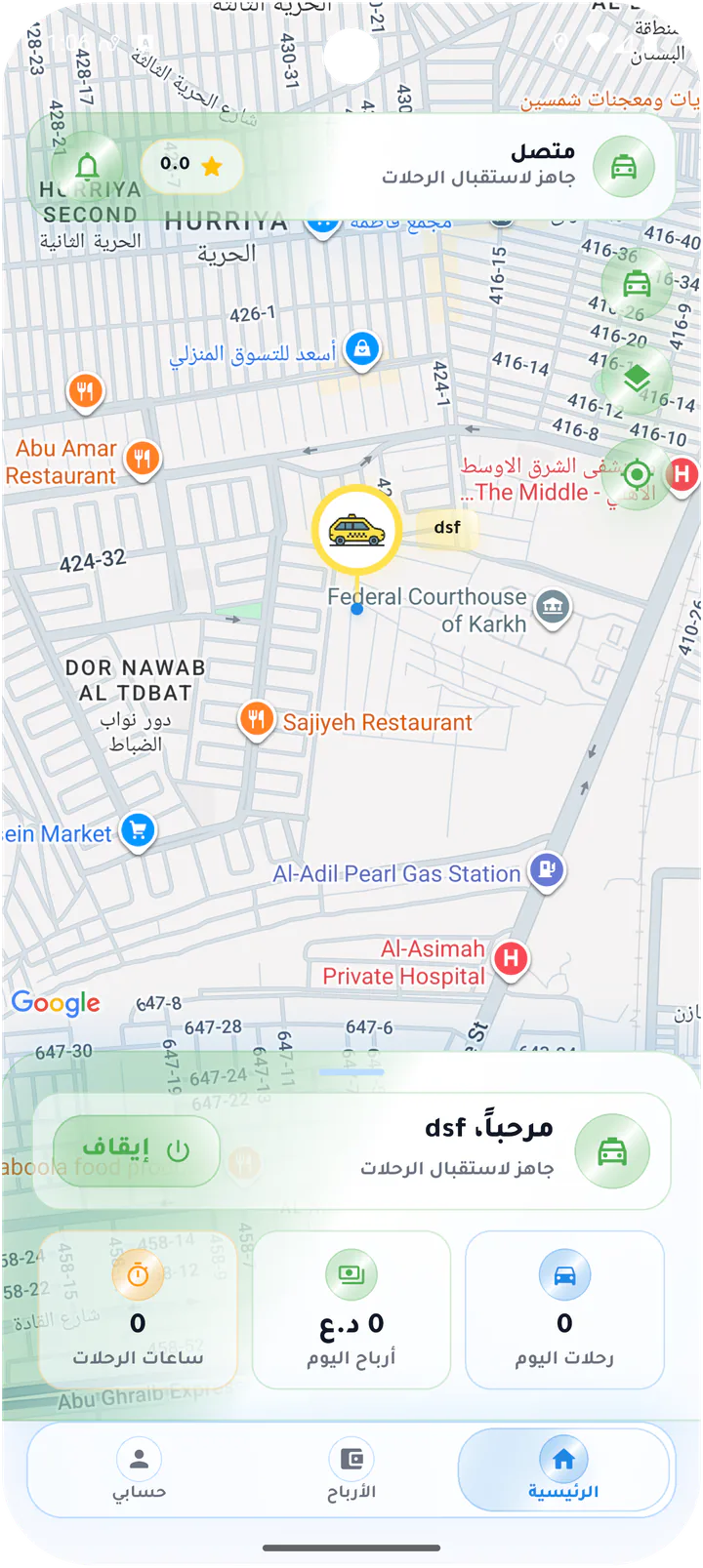
What this page covers
The information needed before committing to a ride
The sequence moves from offline to ready, then through offer formats, map acceptance, and a wallet-paid request.- 01
Clear online and offline states
- 02
Compact offer with expandable detail
- 03
Route, pickup distance, and traffic
- 04
Cash and wallet payment visibility
Real screens from the app
Availability and ride offers
Drivers choose when they are ready, then see fare, time, distance, route, traffic, and payment type before accepting or declining.Screen 01
Offline home
Driver map while offline, with a Connect action and empty daily ride and earnings figures.Screen 02
Online and ready
Online map state confirming the driver is ready to receive ride offers.Screen 03
Compact incoming ride
New ride offer with customer, fare, distance, time, response timer, Accept, and Decline.Screen 04
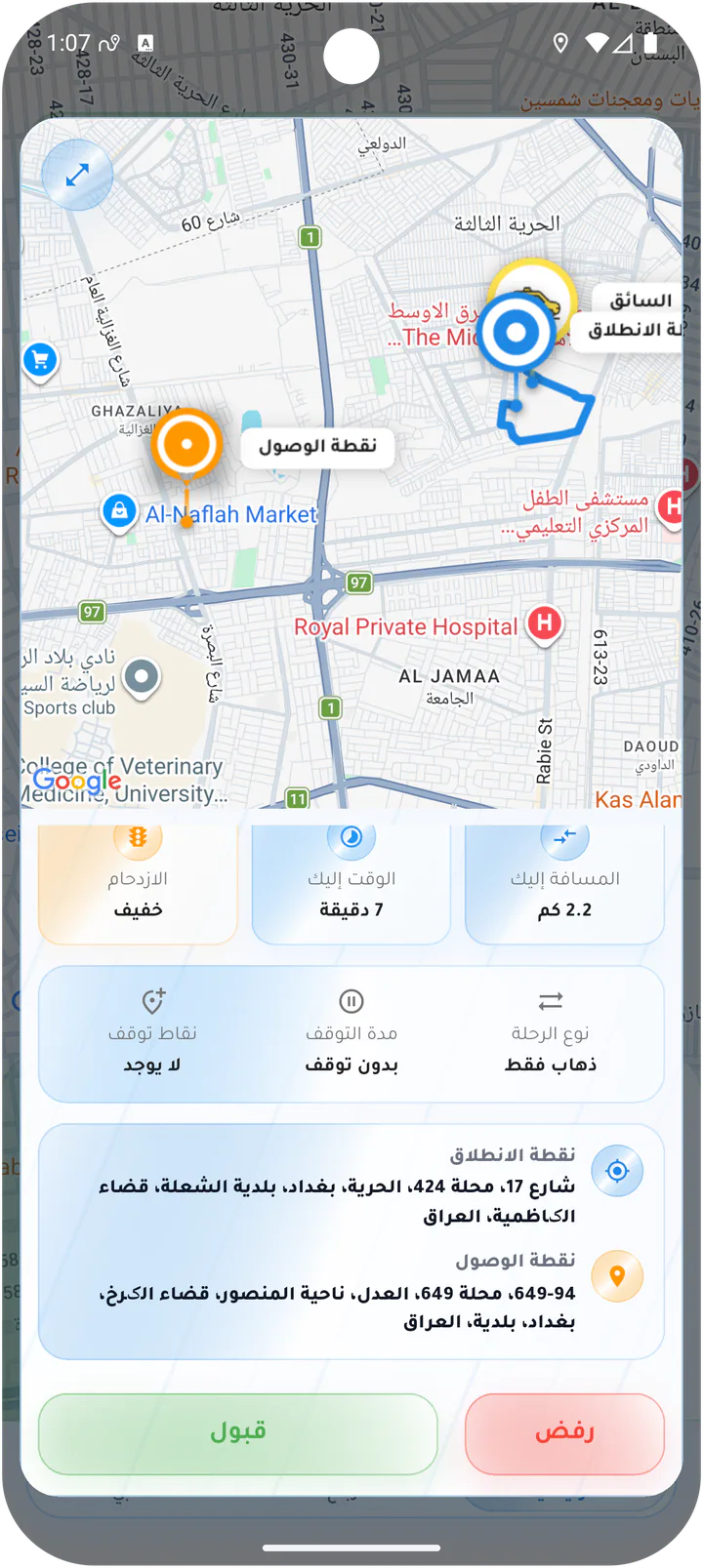
Expanded ride details
Detailed offer showing traffic, distance and time to pickup, route points, and additional trip options.Screen 05
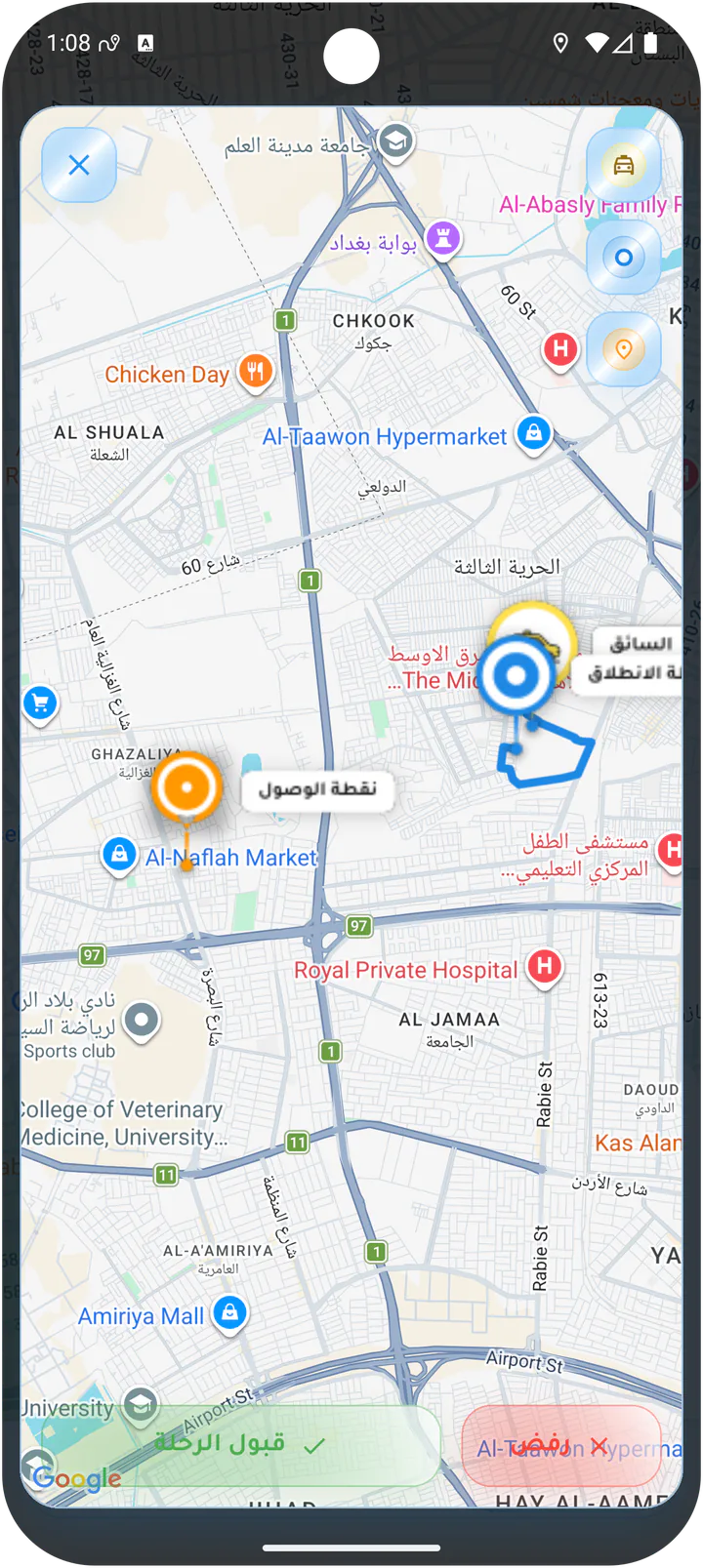
Accept from the route map
Full route preview from the driver position to pickup with accept and decline actions.Screen 06
Driver map preferences
Map layer and traffic controls for the driver map.Screen 07
Wallet-paid ride offer
Incoming ride paid from the customer wallet with fixed fare, distance, time, Accept, and Decline.Driver app