

Ride-linked communication05
Text and voice messages that remain tied to the ride
Both sides can coordinate pickup through text and voice, with typing, delivery, and message controls before chat becomes a read-only record after completion.
Message us on Facebook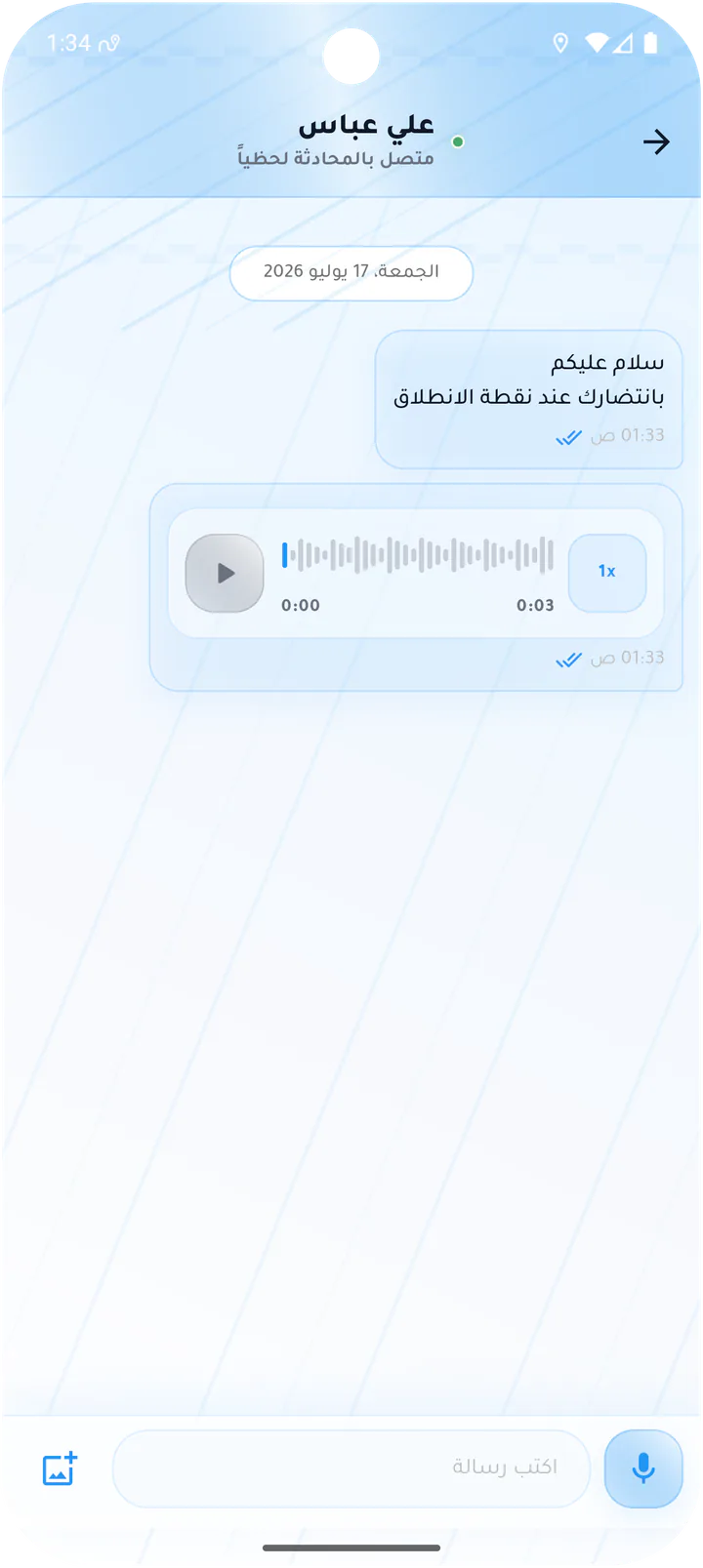
What this page covers
Short, direct communication with the route as context
The screens cover sending and recording, delivery states, message actions, and archiving after the ride.- 01
Text and voice messages
- 02
Typing, read, and delivery states
- 03
Edit or delete with confirmation
- 04
Read-only conversation after completion
Real screens from the app
Chat and messages
Both sides can coordinate pickup through text and voice, with typing, delivery, and message controls before chat becomes a read-only record after completion.Screen 01
Customer-to-driver chat
Ride chat combining text, voice message playback, typing field, and voice recording.Screen 02
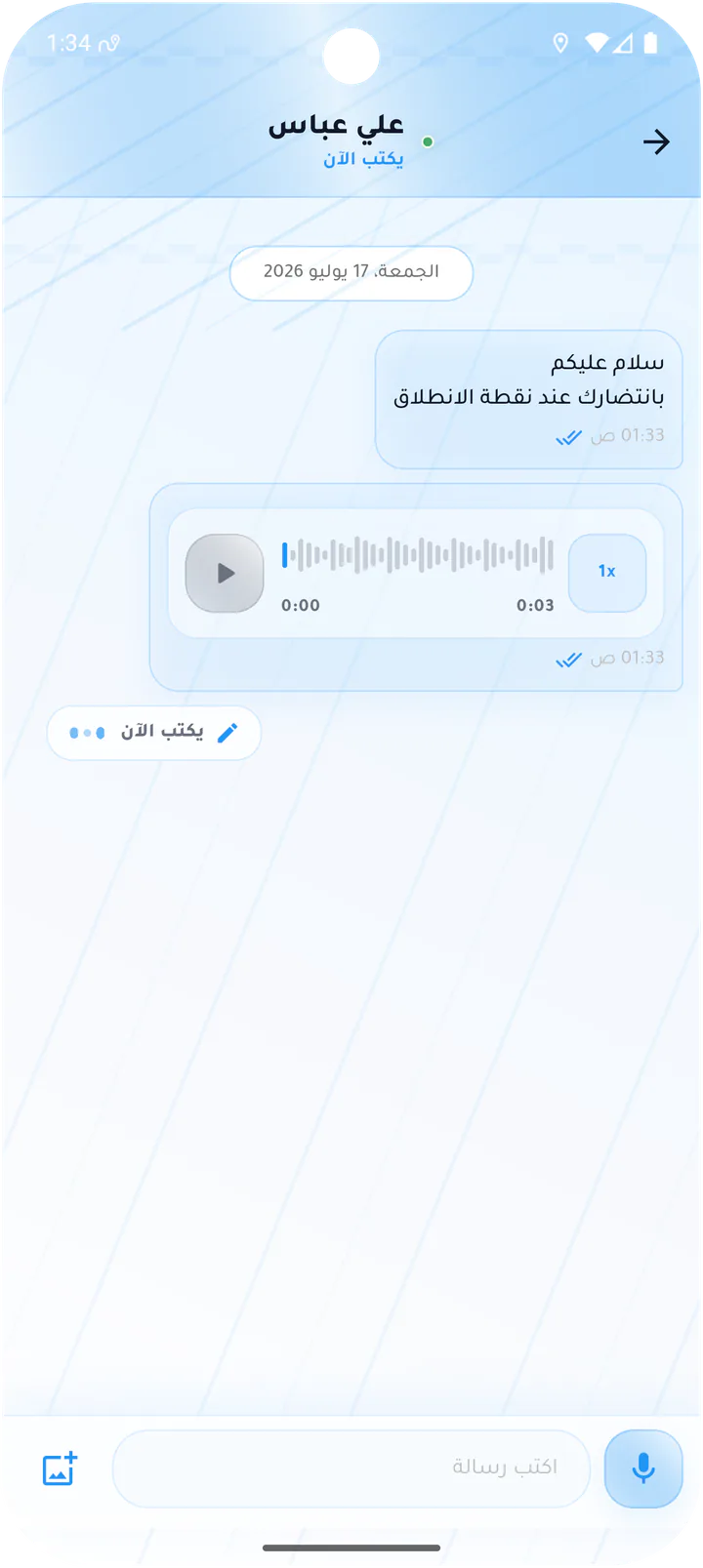
Driver typing indicator
Ride chat state that shows the driver is currently composing a response.Screen 03
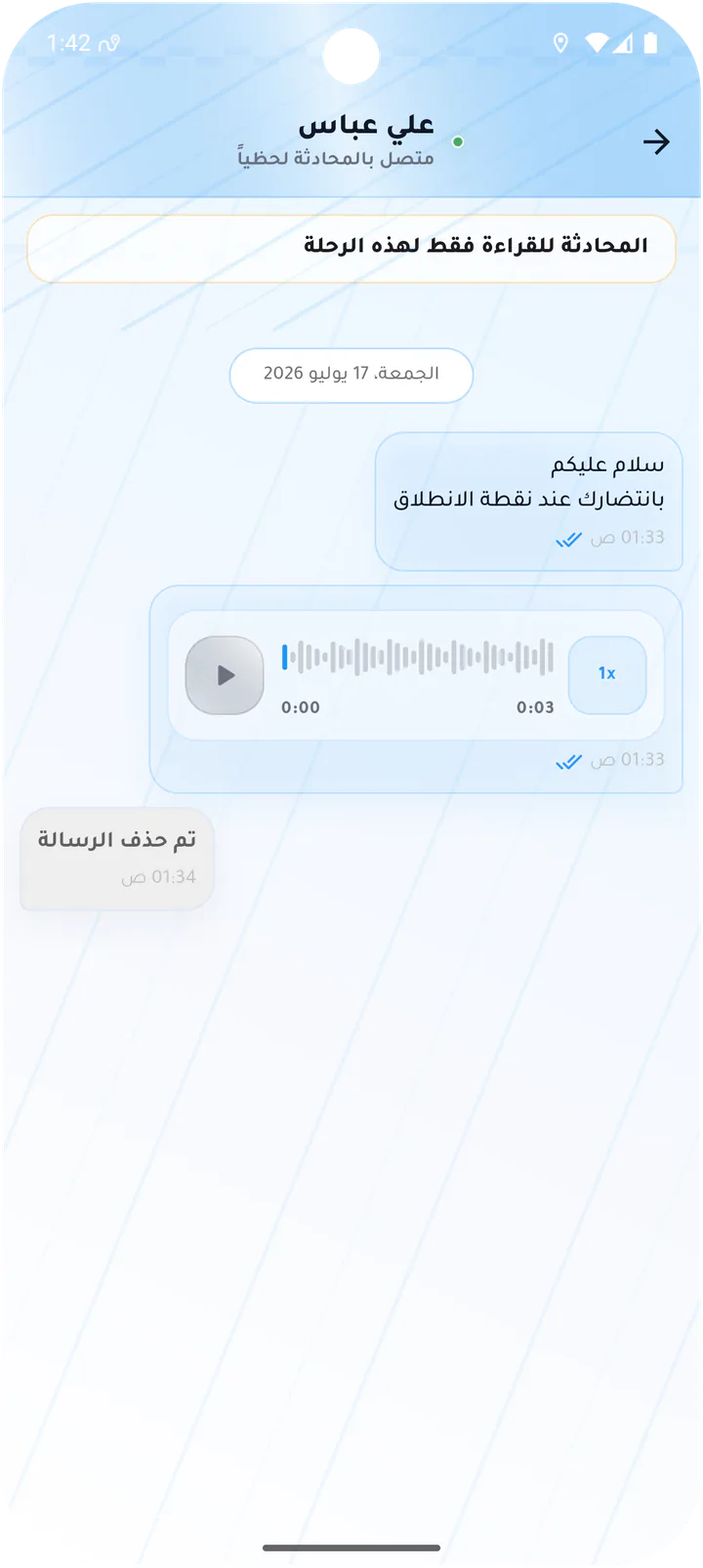
Read-only chat after a ride
Archived ride chat showing prior messages and a deleted-message state after the trip ends.Screen 04
Message delivery details
Message status dialog listing sent, delivered, and seen times.Screen 05
Message actions
Message detail dialog showing view state and actions to edit or delete the message.Screen 06
Edit a chat message
Text-message editor with the existing content and a Save changes action.Screen 07
Delete a chat message
Deletion confirmation explaining that the removal remains visible to the other participant.Customer app