

Work review07
Filterable history with route, timing, and settlement detail
Drivers can filter rides and open each record to review the customer, estimated and actual route, timestamps, fare, commission, and net amount.
Message us on Facebook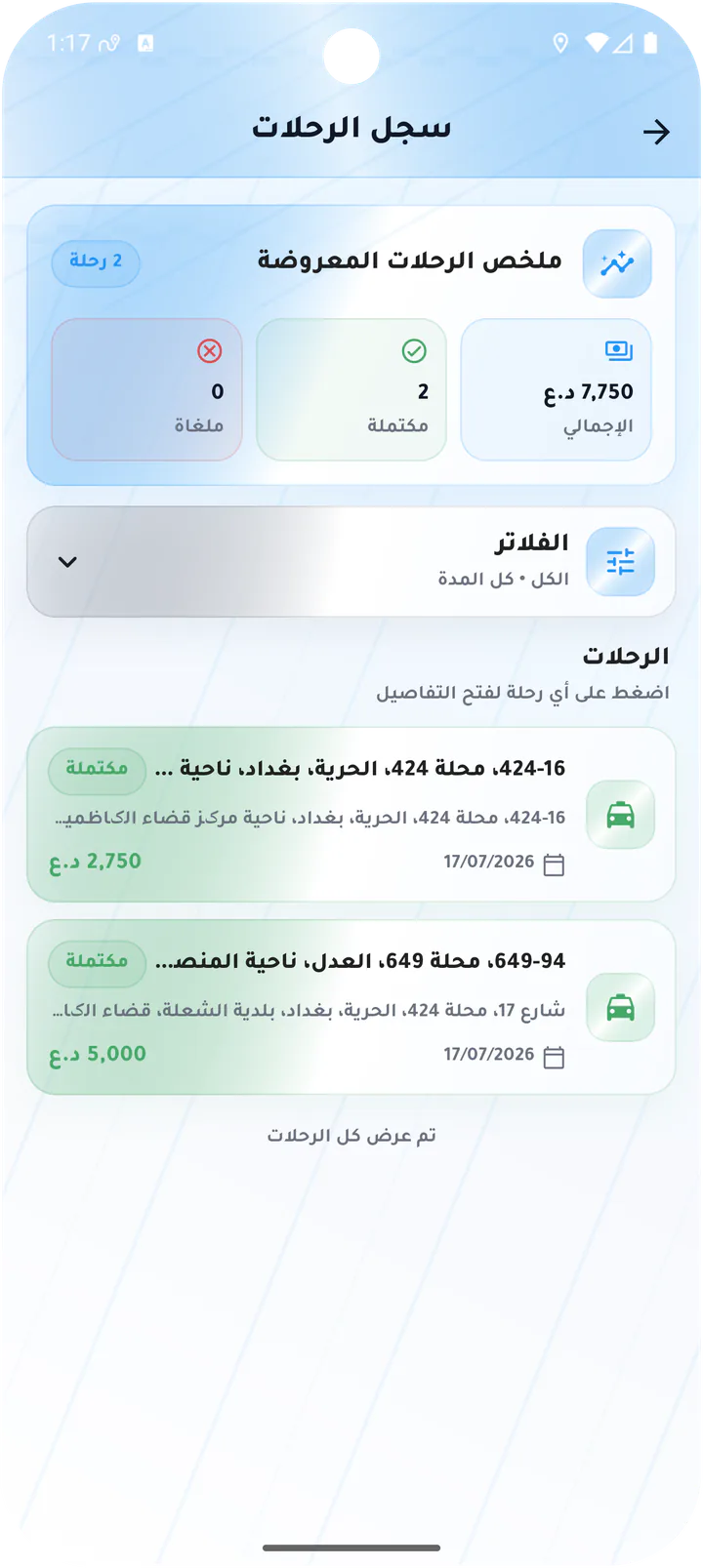
What this page covers
A past ride remains understandable and reviewable
The screens connect history and filtering to the route map and operational and financial detail of a completed ride.- 01
Total, completed, and cancelled summary
- 02
Status and period filters
- 03
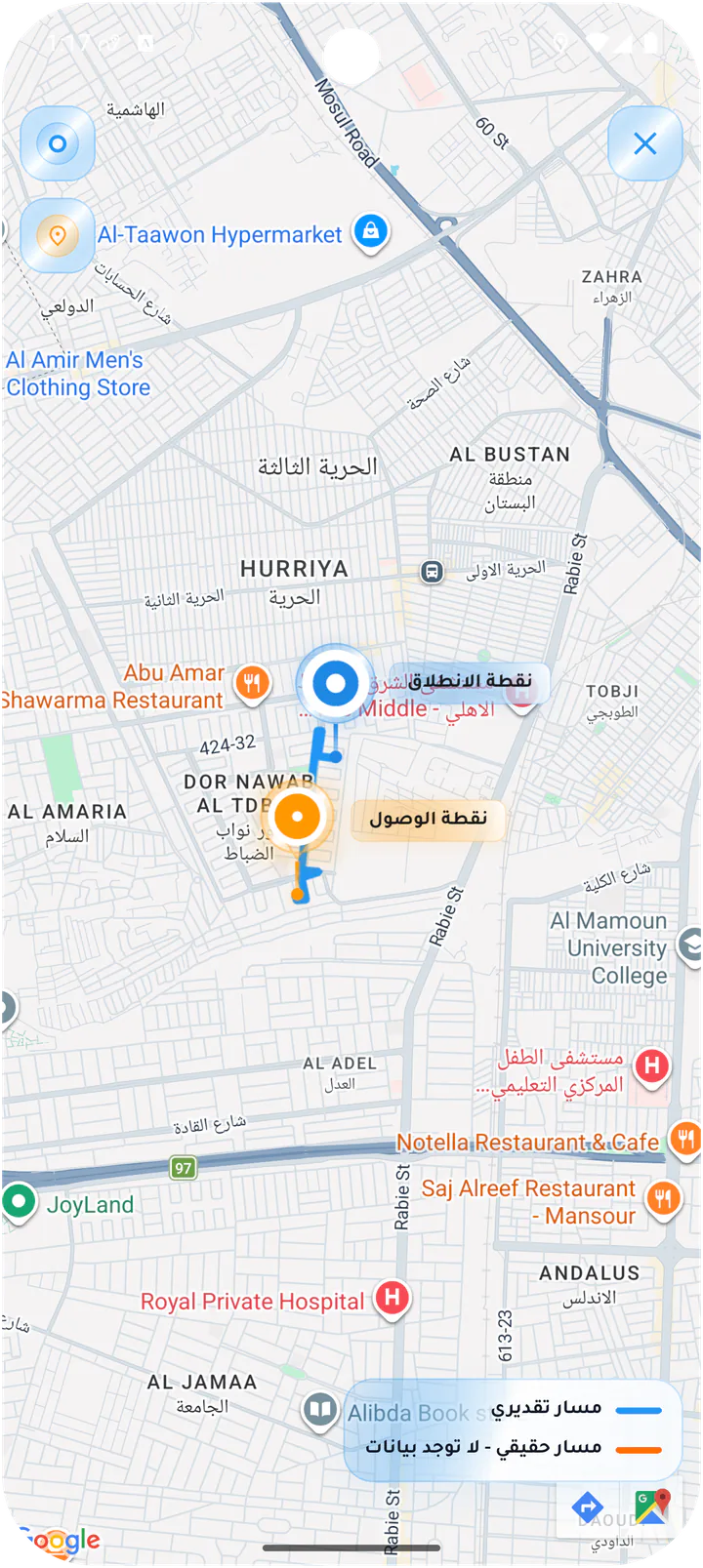
Estimated versus actual route
- 04
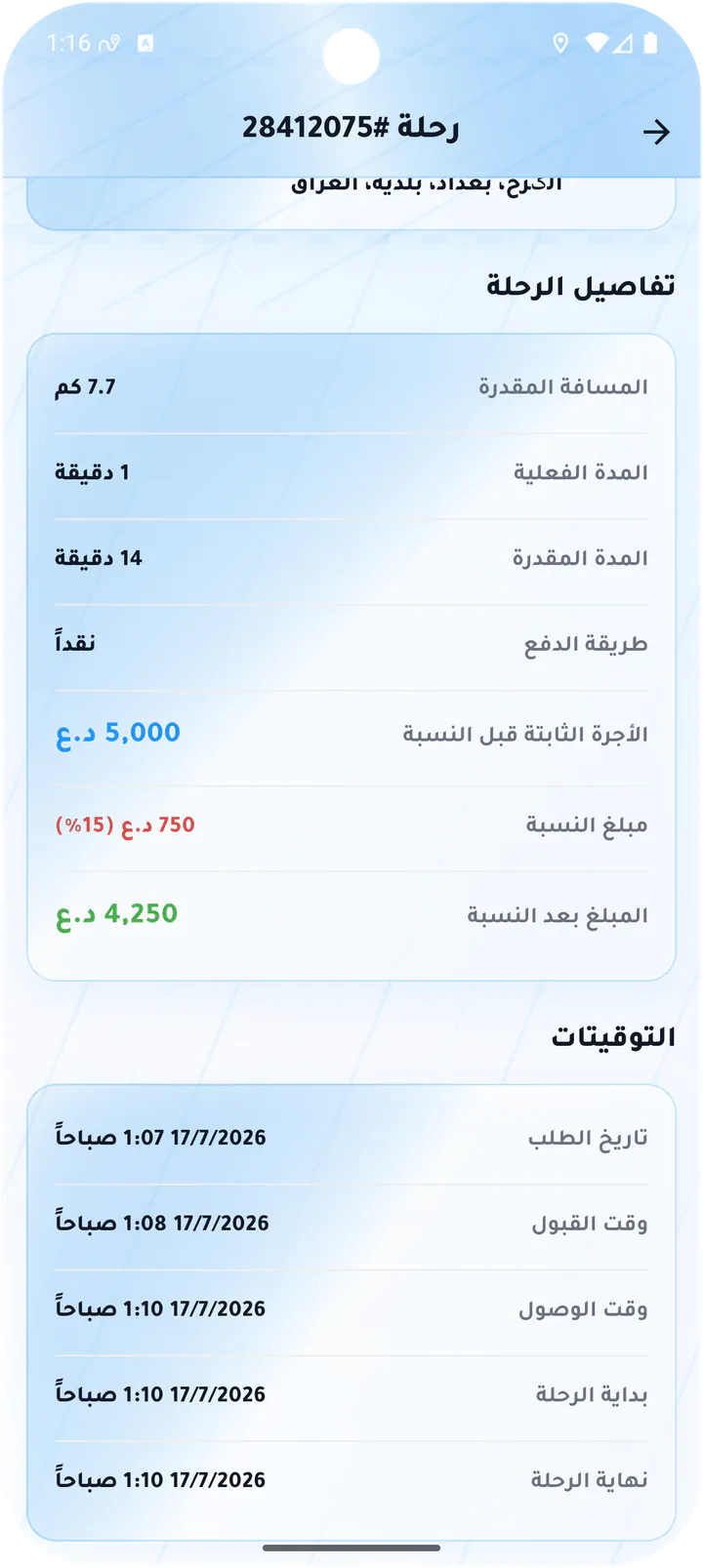
Financial detail and timestamps per ride
Real screens from the app
Ride history and details
Drivers can filter rides and open each record to review the customer, estimated and actual route, timestamps, fare, commission, and net amount.Screen 01
Completed ride route and customer
Completed ride detail with route map, customer rating, customer card, and route points.Screen 02
Ride financial and timing detail
Distance, duration, payment method, gross fare, commission, net earnings, and timestamps.Screen 03
Driver ride history
Ride history summary with total, completed, and cancelled counts plus completed ride cards.Screen 04
Filter ride history
History filters for status and date ranges including today, seven days, month, and custom.Screen 05
Full route map
Full-screen route with a legend distinguishing estimated and actual paths.Driver app