

Fleet structureReal operating interface
Independent vehicle classes for identity, capacity, and pricing
Each class receives Arabic and English identity, capacity, display order, state, and its own pricing additions across the list and create or edit dialogs.
Interface preview
Interface language
Interface appearance
6 images
العربية / Lightالعربية / DarkEnglish / Light×2English / Dark×2
Arabicand English identity
Capacityand display order
Pricingper vehicle class
Operating flow
Compare classes before editing
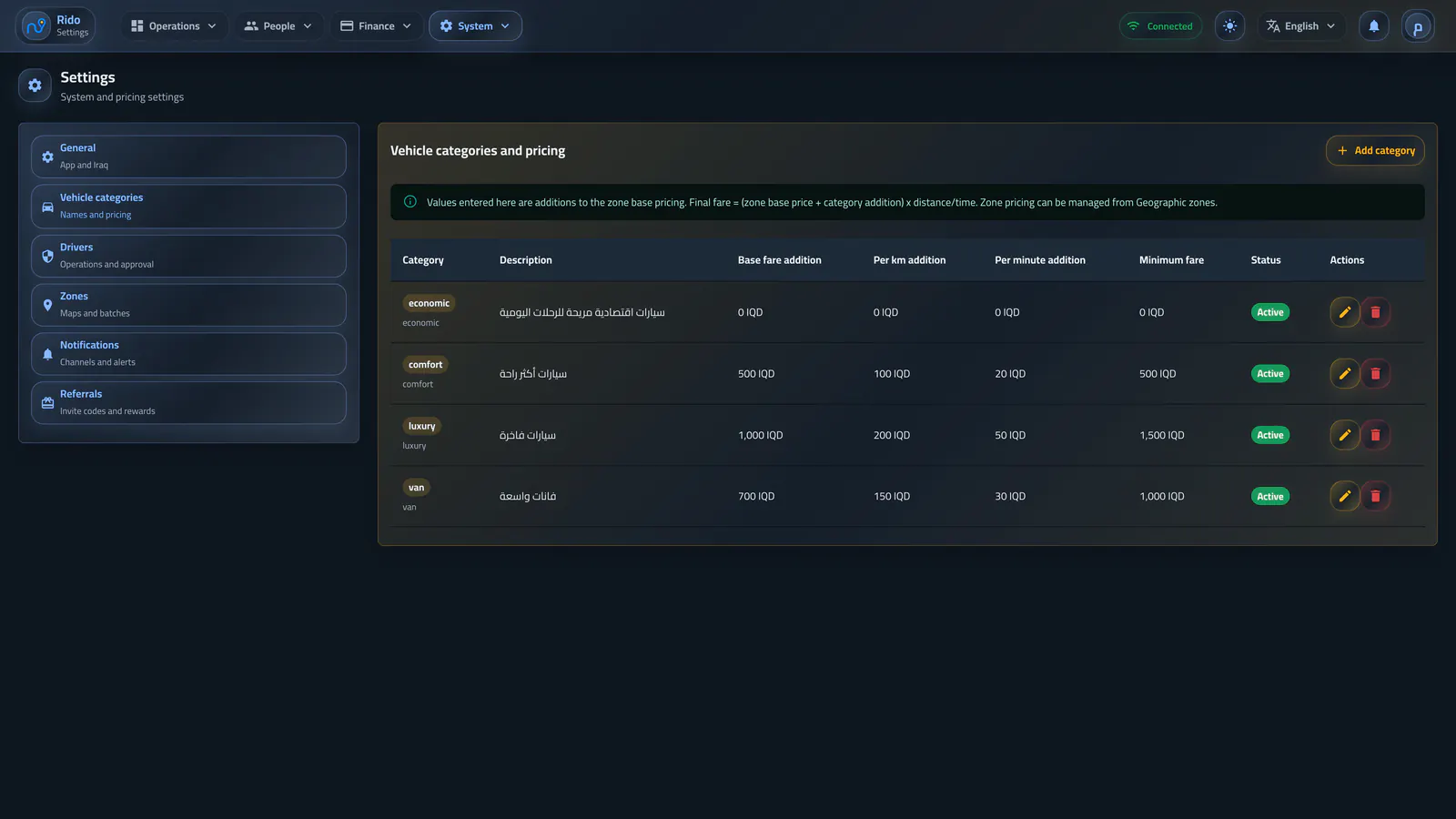
The list shows identity, description, capacity, pricing additions, and state so Economy, VIP, and other classes can be reviewed together.- Bilingual class names
- Capacity and description
- Base, distance, and time additions
- Activate or pause a class
Vehicle categories and pricing
Configured classes display bilingual labels, seat capacity, base values, per-unit pricing, and state.Operating flow
Create a class with complete criteria
The creation dialog combines bilingual identity, capacity, pricing, display order, and activation before the class enters the ride experience.- Arabic and English name and description
- Seat count
- Pricing additions
- Display order and state
Add a vehicle category
A vehicle class receives bilingual identity, capacity, pricing, display order, and activation settings.Operating flow
Edit the current class in context
Existing values can be updated from a focused dialog while preserving the class record instead of replacing it.- Update identity and description
- Review pricing additions
- Change state and display order
Edit vehicle-category pricing
Existing category values can be revised in context without replacing the category record.Fleet structure