

Live status04
From finding a driver to arrival and the active ride
The customer stays on one map while the request moves through search, acceptance, arrival, and active ride states with driver details and structured cancellation.
Message us on Facebook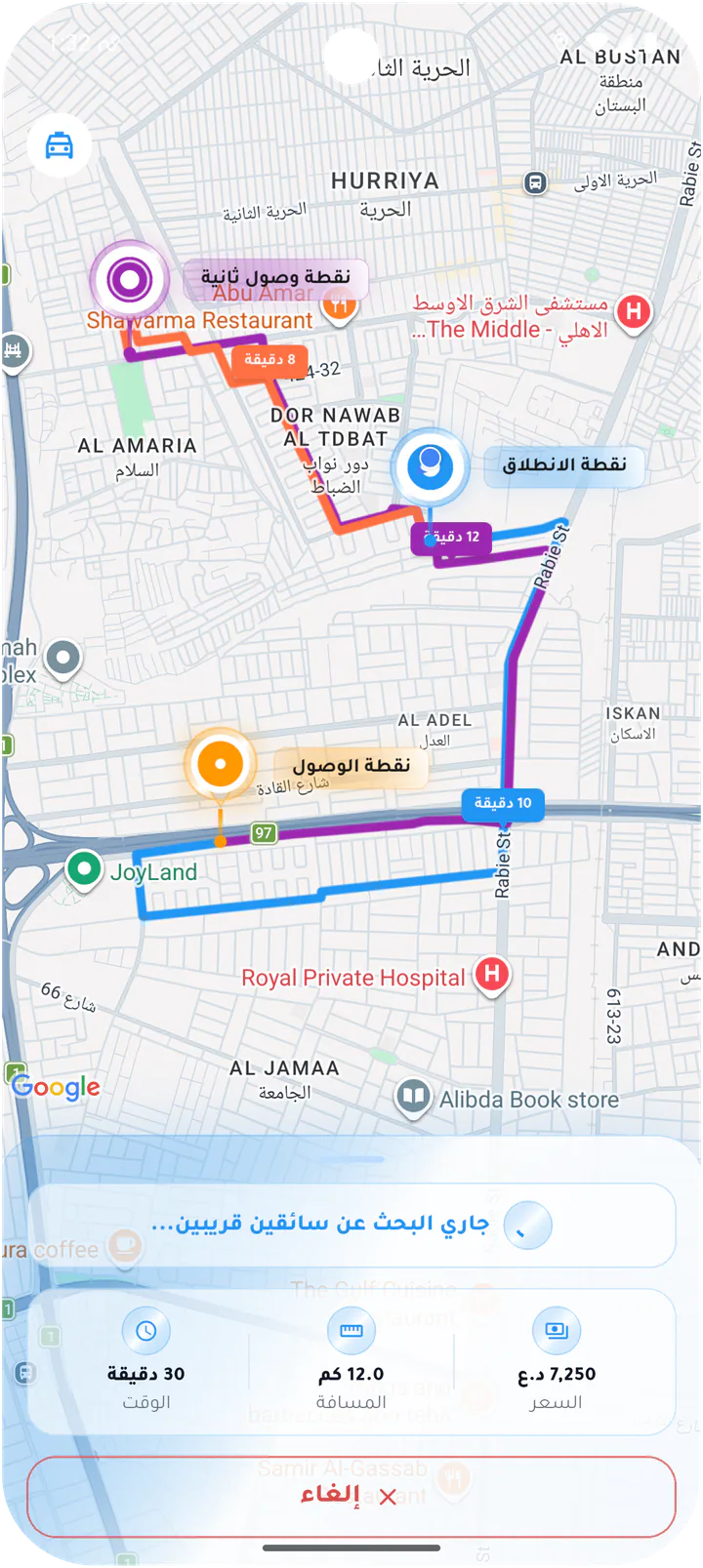
What this page covers
The right status at the right moment
The sequence shows every real transition and how matching continues automatically after a driver cancellation.- 01
Live search for nearby drivers
- 02
Driver, vehicle, and rating card
- 03
Accepted, arrived, and active states
- 04
Structured cancellation and automatic replacement search
Real screens from the app
Matching and live tracking
The customer stays on one map while the request moves through search, acceptance, arrival, and active ride states with driver details and structured cancellation.Screen 01
Searching for nearby drivers
Live route map while Rido searches for an available driver, with ride estimate and cancellation access.Screen 02
Select a cancellation reason
Structured cancellation reasons with a free-text fallback and explicit confirmation.Screen 03
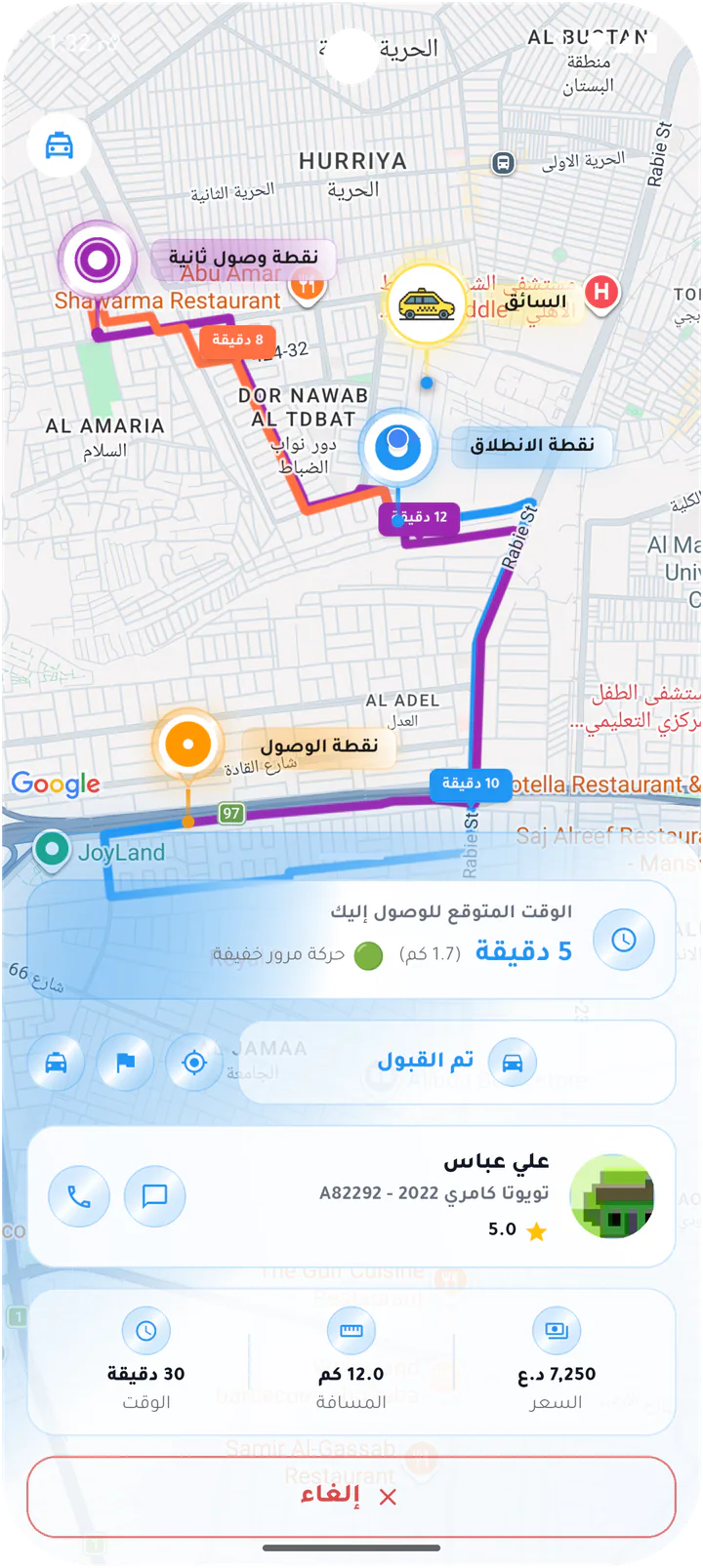
Driver accepted the ride
Accepted-ride card showing arrival estimate, driver, vehicle, rating, and agreed fare.Screen 04
Compact accepted status
Condensed accepted state over the route map with ride metrics and cancellation access.Screen 05
Driver arrived at pickup
Arrival state with driver details, call and chat controls, and ride status.Screen 06
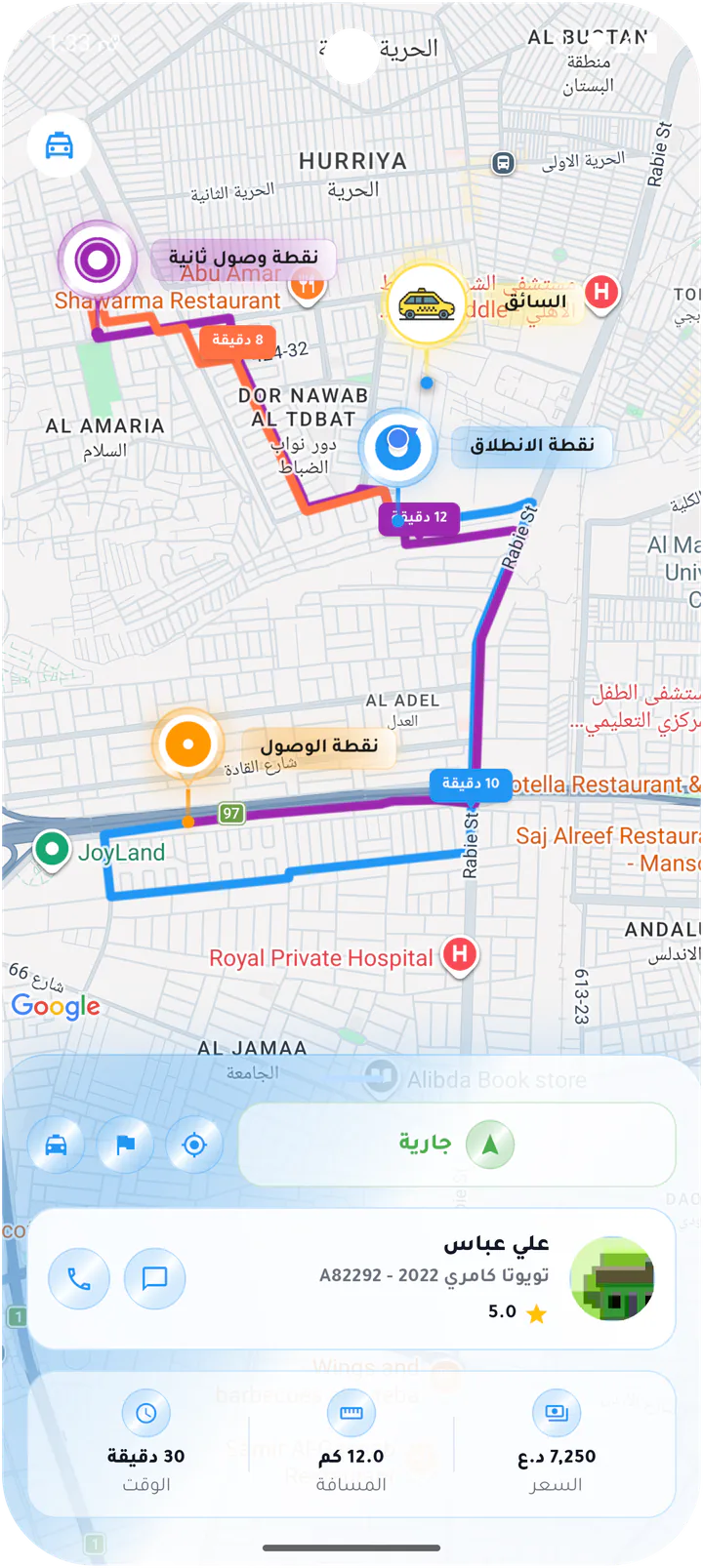
Ride in progress
Live ride map with route progress, driver card, duration, distance, and fare.Screen 07
Unread message during the ride
In-progress ride card with an unread badge on the chat action.Screen 08
Searching for a replacement driver
Automatic recovery state after a driver cancellation, continuing the search without asking the customer to book again.Customer app